

Cabin crew
Build your roster, invite family
- Upload a roster screenshot and AI fills in the whole month
- Or tap a date and pick the code yourself
- Invite family, and revoke access any time
 The roster app for cabin crew and their families
Share your roster once. Your family asks less.
Days off, destinations, landing times: open the app and it’s all there.
Works with most airlines’ rosters, and already knows the roster codes of EVA Air, STARLUX Airlines, China Airlines, UNI Air, Mandarin Airlines and Tigerair Taiwan
Based on scheduled times; actual times are as published by the airline.
Why Feiban

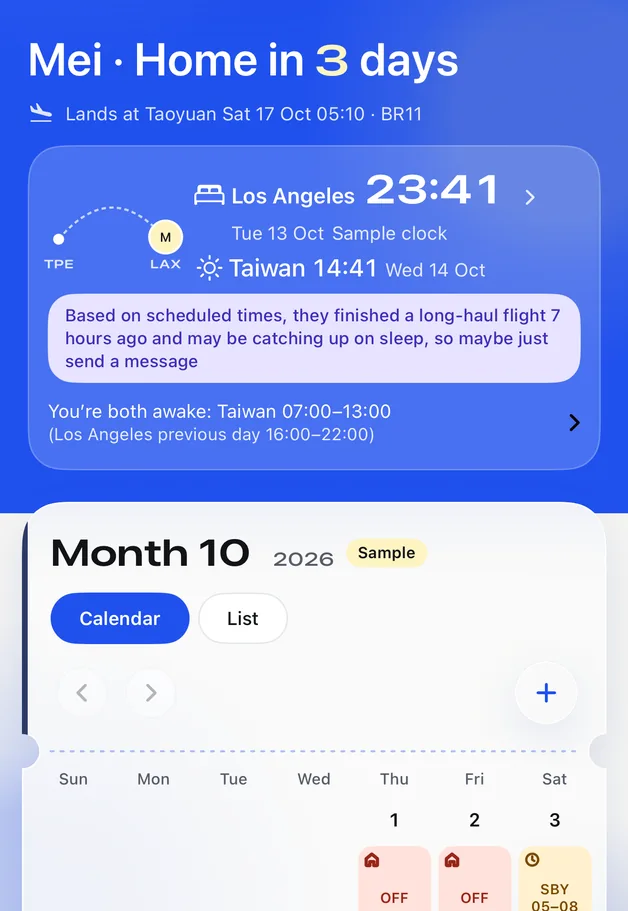
Will you be home that day?
Days off, flying, layovers and standby each have their own colour, so it’s clear at a glance
Where are you flying? What time is it there?
The layover city and local time side by side, so nobody has to work out the time difference
When do you land?
Scheduled landing time and a landing alert
Based on scheduled times; actual times are as published by the airline.
How you use it together

Features
App screenshots (sample roster); the roster sheet and widgets are illustrations.
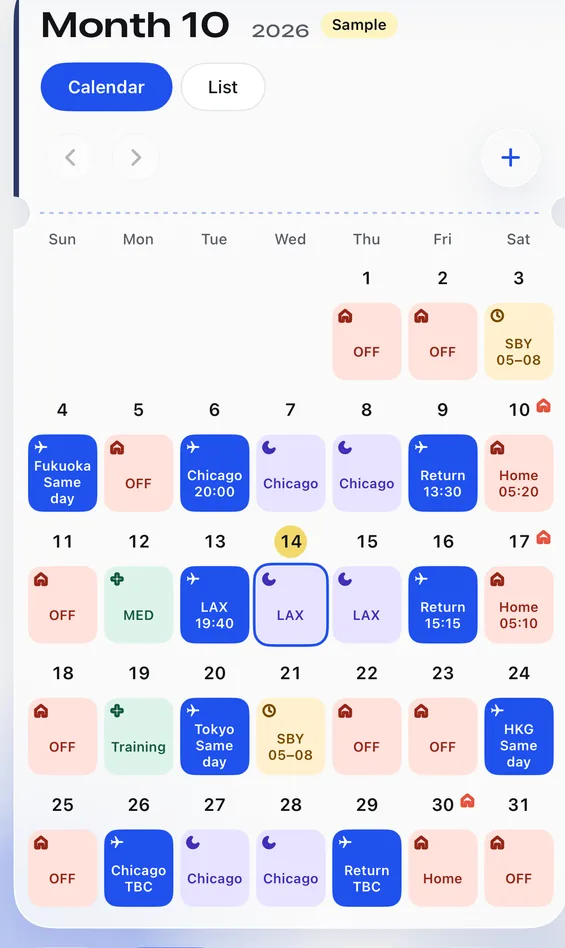
01 · AI roster reading
DO, AL, S05, BR196…Upload a roster screenshot and AI fills the codes into the calendar; any day it isn’t sure about is flagged for you to confirm.
Screenshots go through Feiban’s server to a third-party AI service for reading. Before anything is sent, we list who processes it and ask for your consent; Feiban’s server doesn’t keep the original image.Privacy Policy
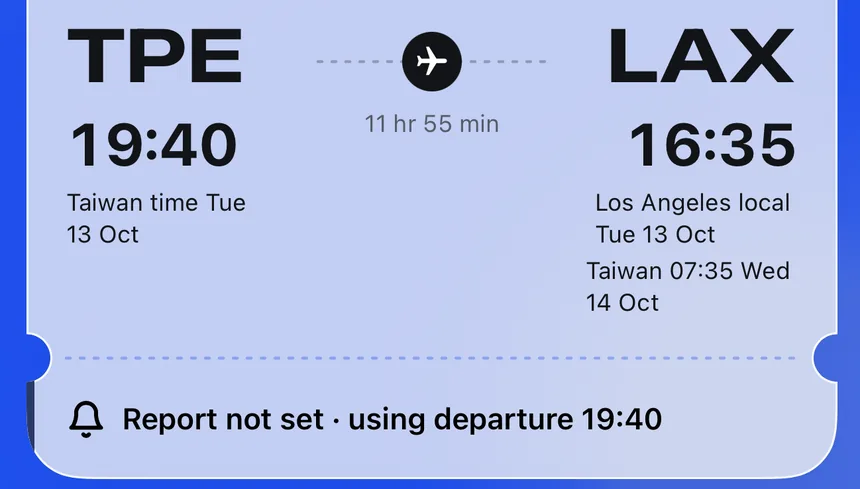
02 · Boarding pass
Departure and arrival show both base time and local time, with overnight flights and time differences worked out; times we can’t find are marked TBC, never guessed.
Based on scheduled times; actual times are as published by the airline.
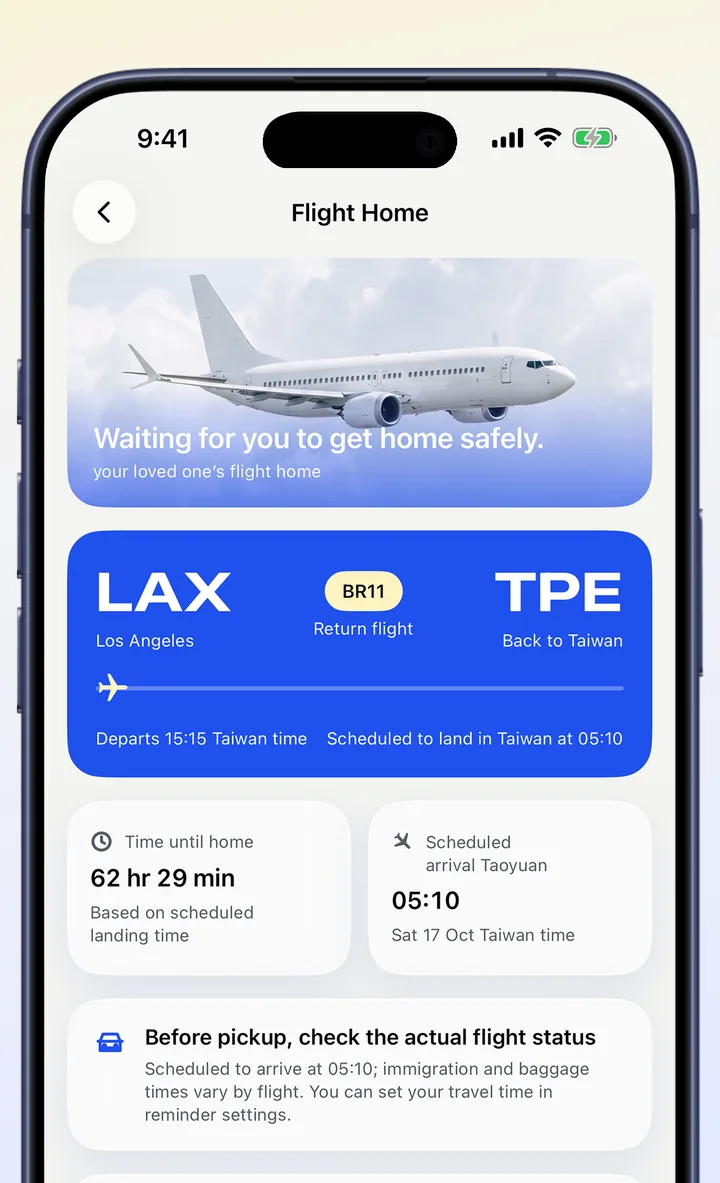
03 · Flight home
A countdown to the flight home, the scheduled landing time, and every safe landing on this trip so far.
Based on scheduled times; actual times are as published by the airline.

04 · Shared with family
Home Screen and Lock Screen widgets: home countdown and this week’s roster.
How it works
Upload a roster screenshot, or tap dates and pick codes yourself
Days it isn’t sure about are flagged; one tap fixes them
Send a family follow code; once accepted, your family can follow along
Knows the roster codes of EVA Air, STARLUX Airlines, China Airlines, UNI Air, Mandarin Airlines and Tigerair Taiwan. Rosters from other airlines are read by AI, and any code it doesn’t recognise is flagged for you to choose.
Peace of mind

What they can see
Screenshots pass through Feiban’s server to a third-party AI service for reading, and we ask for your consent first.
Turn when you’ll be home, your layover city and flight times on or off separately; private notes are never shared.
Remove a family member or stop all sharing, and they won’t see any new rosters.
Based on scheduled times; anything we can’t find is marked TBC, and actual times are as published by the airline.
Follow 1 person for free. Following more people requires an active trial or membership, up to 10 people.
Works with most airlines’ rosters; you confirm each unfamiliar code once. Landing alerts depend on available flight data. AI reading isn’t currently available in Hong Kong and Macao. It already knows the roster codes of EVA Air, STARLUX Airlines, China Airlines, UNI Air, Mandarin Airlines and Tigerair Taiwan, with scheduled times for EVA Air’s main routes; for other airlines, times come from your roster or a flight number lookup. Anything it can’t recognise is flagged so you can choose it yourself.
Screenshots go through Feiban’s server to a third-party AI service for reading. Before anything is sent, we list who processes it and ask for your consent; Feiban’s server doesn’t keep the original image. The third-party AI service may keep it briefly under its own policy to prevent abuse; see the Privacy Policy for details.
Yes. On the Family page, remove someone or stop all sharing, and they won’t see any new rosters.
Feiban is launching on iPhone first, and the web version has been discontinued, so you’ll need an iPhone to create a roster or accept an invite.
Crew build the roster, family accept the invite, and everyone knows when they’ll be home.